For restaurants and real estate agents
Send us your menu once. Update it yourself, anytime.
Our designers rebuild the menu or listing flyer you already print, for free. Then you change prices, dishes and photos from your phone, and we print and ship the new copies.
Free setup · No subscription · Only pay when you order
Try it yourself
Change a price. Watch the menu update.
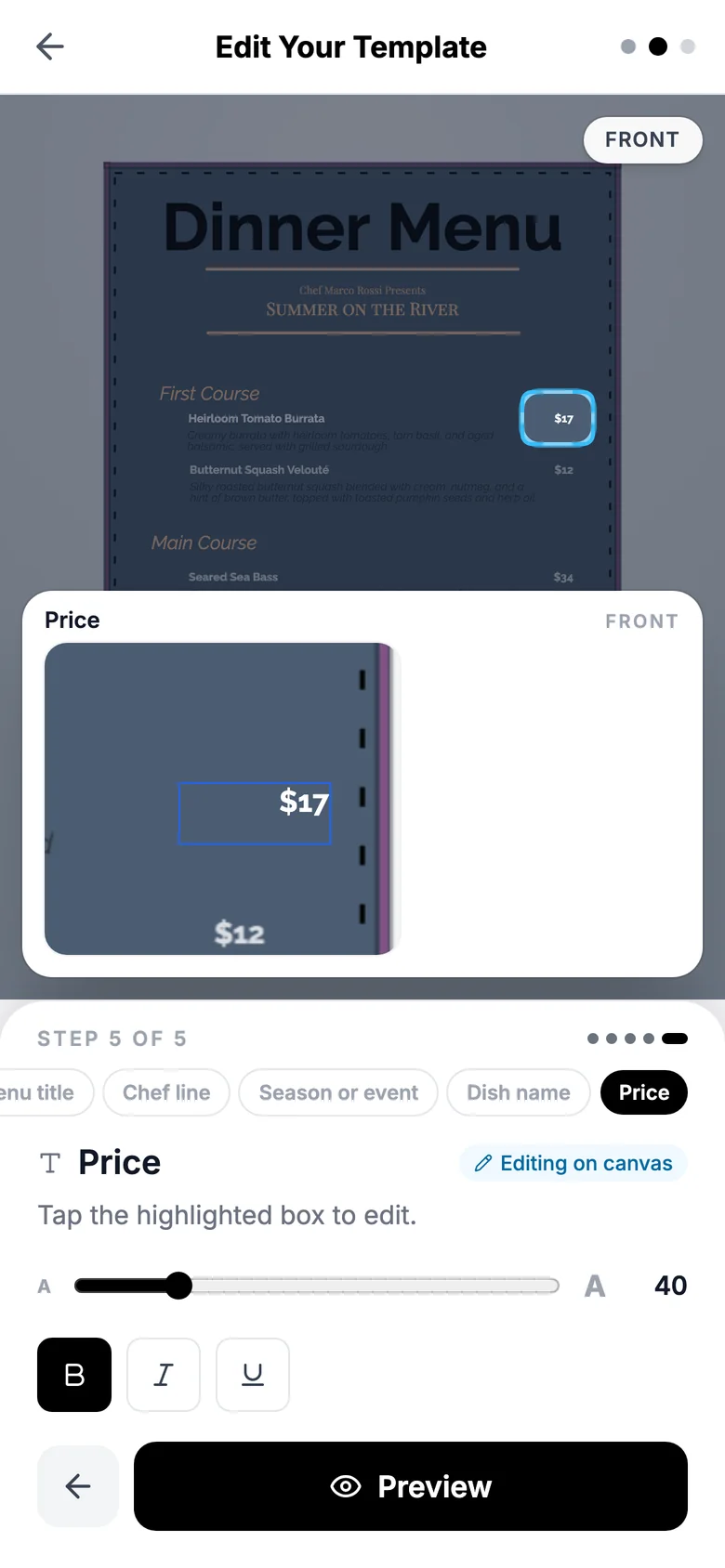
Today, changing one price means emailing your designer and waiting. With your InkFE template, you just type it. Try it: put a new price in the Price box and watch the menu change.
Edit Your Template
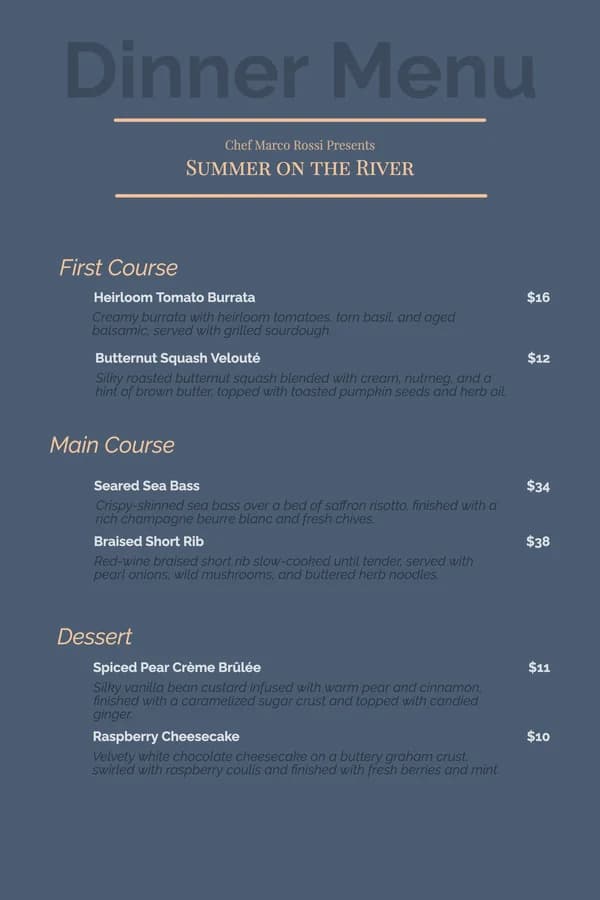
Dinner Menu
Chef Marco Rossi Presents
Summer on the River
First Course
Heirloom Tomato Burrata
$16
Wildflower honey, roasted figs, pistachio crumble
Butternut Squash Velouté
$12
Brown butter, toasted pumpkin seeds
Main Course
Seared Sea Bass, Beurre Blanc
$34
Saffron risotto, champagne butter, chives
Braised Short Rib
$38
Pearl onions, wild mushrooms, herb noodles
Dessert
Spiced Pear Crème Brûlée
$11
Vanilla custard, candied ginger
Price
Heirloom Tomato Burrata
$16
Wildflower honey, roasted figs, pistachio crumble
Step 1 of 4: Price
Food costs went up? Type the new price.
- Your layout and colors stay locked.
- Longer names shrink to fit the space.
- Nothing prints until you approve it.
How it works
We do the setup once. You're in control after that.
Step 1
Send us what you print
A PDF, a design file, or just a photo of the printed menu taken on your phone. Tell us which parts change often.
dinner-menu-final.pdf
Sent to InkFE
Step 2
We rebuild it as a template, free
Our designers recreate your layout in the InkFE editor with your fonts and colors, and make the parts you change easy to type over. You review it before it's yours.
Step 3
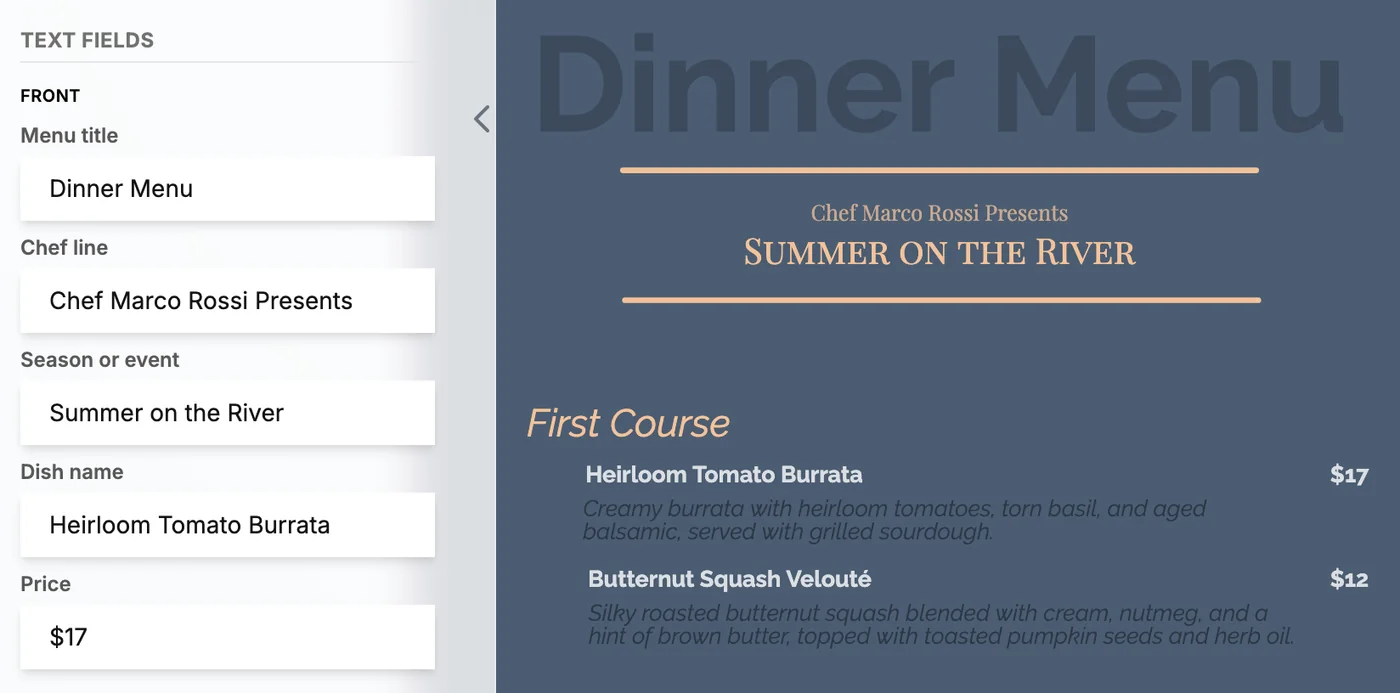
Edit and reorder whenever you want
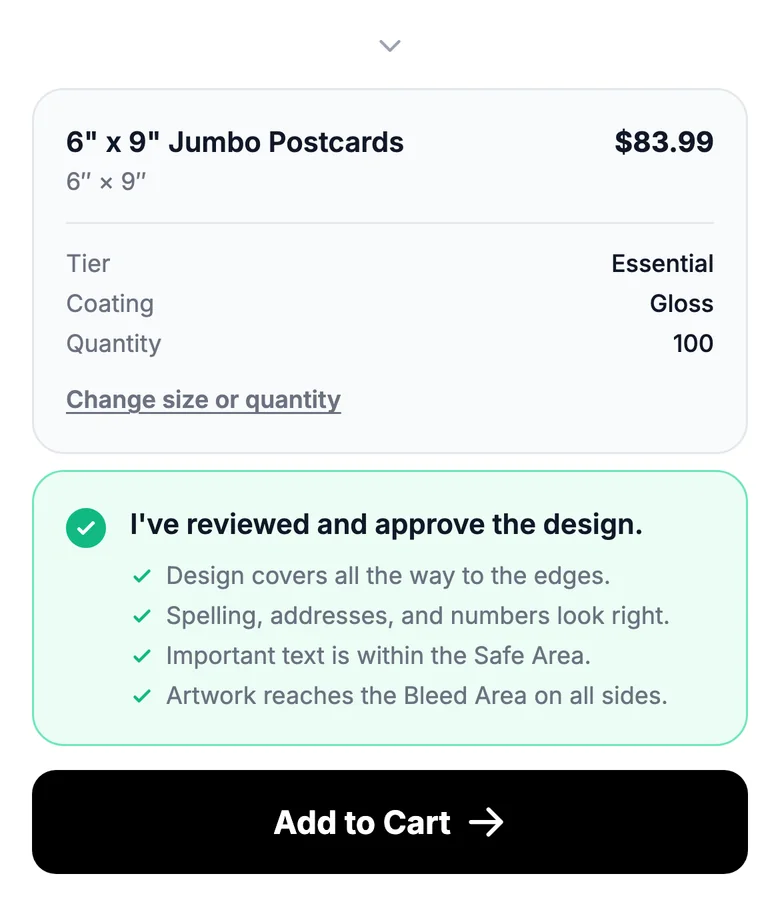
Log in from your phone or laptop, change what's new, check the preview, and reorder with your saved paper and quantity. No waiting on a designer.
Free setup · No subscription · Only pay when you order
Who it's for
Made for what you reprint. New details, same design.
Restaurants and cafes
Food costs move and seasons change. Update the menu the day it changes, and reorder without waiting on a designer.
What you'll change yourself
- Prices and specials
- Dishes and descriptions
- Photos
- Hours and dates
Real estate agents
Keep one branded design and drop in each new listing. Update your just listed, open house and just sold pieces the moment the listing changes.
What you'll change yourself
- Listing photo
- Price
- Address and details
- Open house day and time
Locked on both: your logo, colors and layout, so every reprint looks like you.
Salons, gyms, clinics, churches and shops can use it the same way. If you print it again with new details, it can be a template.
What it costs
Free to set up. Free to edit. You pay only for printing.
Rebuilding a menu so you can edit it yourself is usually paid design work. We do it free because we're a print shop, and we'd rather earn your reprints.
- You approve every version before anything prints.
- No subscription and no contract.
- Bigger change? We'll update the template for you.
Not happy with a print? See our return and refund policy.
Your template
- Template setup by our designers
- $0
- Edits, any time
- $0
- Updates through your AI assistant
- $0
- Subscription
- None
- Printing
- When you order
Update by voice or chat
Or just say what changed. Your AI does the typing.
Your AI assistant · InkFE connected
Done. Here's your updated menu. Want the same 150 copies as last time?
Summer Menu
Chef Marco Rossi Presents
Summer on the River
First Course
Heirloom Tomato Burrata
$17
Wildflower honey, roasted figs, pistachio crumble
Butternut Squash Velouté
$12
Brown butter, toasted pumpkin seeds
Main Course
Seared Sea Bass, Beurre Blanc
$34
Saffron risotto, champagne butter, chives
Braised Short Rib
$38
Pearl onions, wild mushrooms, herb noodles
Dessert
Spiced Pear Crème Brûlée
$11
Vanilla custard, candied ginger
Summer Menu, new version
Burrata $16 → $17
150 copies · same paper
Connect InkFE to the AI assistant you already use and tell it what's new, in a message or out loud if your app supports voice. It updates your menu and shows you the new version in the chat, ready to approve and reorder.
Works with Claude and Muse. ChatGPT is coming soon.
Questions owners ask
Still unsure? Write to orders@inkfe.com. A person on our team replies.
What's the catch with free?
There isn't one. We're a print shop, so we make money when you order prints. Building your template for free is how we earn your reprints. There's no subscription and no contract.
What do I need to send you?
Whatever you print today. A print-ready PDF or design file is best, but a clear photo of the printed piece taken on your phone works too. Tell us which parts change often so we can make them easy to update.
How much does printing cost?
The same as any InkFE order for that product. You see the full price for your paper and quantity before you check out.
How does reordering work?
Log in to InkFE, open your template, type what changed and check the preview. Your paper, size and quantity are saved from last time, so you approve, check out and we print and ship. You can do it all yourself, and we're an email away if you need us.
How long does setup take?
It depends on the piece. A single-page flyer is quicker than a multi-page menu. We'll give you a date when we reply, and there's nothing to pay for setup.
Can I update it with my AI assistant?
Yes. Connect your InkFE account to Claude or Muse, then tell it what changed, typed or spoken if your app supports voice. It shows you the new version, and nothing is ordered until you approve it. ChatGPT support is coming soon.
I'm not a design person. Will I be able to do this?
Yes. If you can edit a text message, you can update your template. You type a new dish name or price into a box, and the design takes care of the rest.
What if I need a bigger change, like a new section or a new look?
Tell us and our designers will update the template for you. Day-to-day changes stay in your hands; bigger redesigns are what we're here for.
Get started
Tell us what you print. We'll take it from there.
Faster: email a photo or PDF of your menu to orders@inkfe.com and we'll start from that.
What happens next
- We reply by email.
- We rebuild your design for free and send it to you to review.
- It's in your InkFE account, ready to edit and reorder.